


The Problem
HubSpot quotes are powerful, but getting one out the door takes too many clicks. Reps leave the deal, open the quote editor, pick a template, set an expiry date and publish, again and again. That leads to:
- Slow quoting: every quote is built by hand, one screen at a time.
- Messy quote numbers: long HubSpot IDs that are hard to say on a call or find later.
- Lost versions: recalling a sent quote to edit it means the buyer's copy is out of date.
- Reseller headaches: one deal with several resellers turns into hours of copying quotes.
DoQuotes removes these steps, so reps can quote from the deal in seconds.
How it works
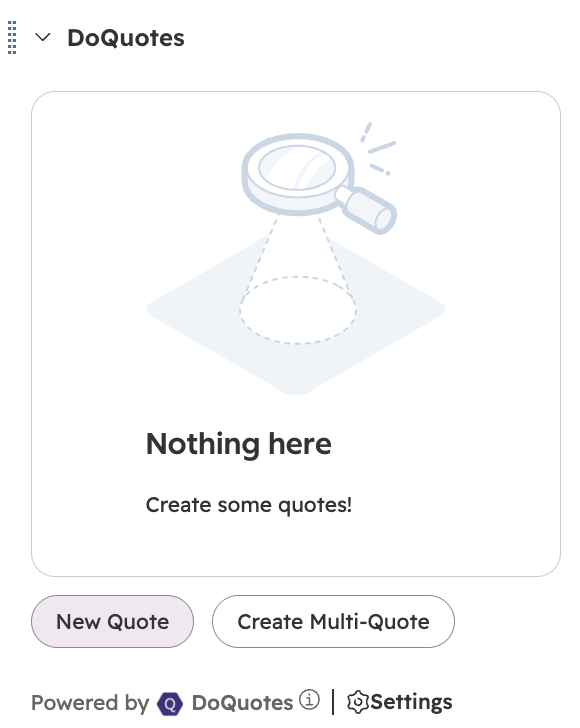
DoQuotes adds a card to your HubSpot deal records. From it, reps create a quote from their default template and publish it in one click.
Every quote gets a short, sequential number like Q00123, in a format your admin chooses. If someone edits a quote title by hand, DoQuotes puts the right number back.
Everything works inside HubSpot, using your own quotes, templates and user permissions. There's nothing to migrate and nothing new for your team to learn.
What can DoQuotes do?
DoQuotes helps on both sides of the quote: the rep who sends it, and the buyer who signs it.
For your Sales reps:
- One-click quotes: create and publish from the deal, with default templates and expiry dates.
- Clone, don't recall: revise a quote without breaking the one the buyer already has.
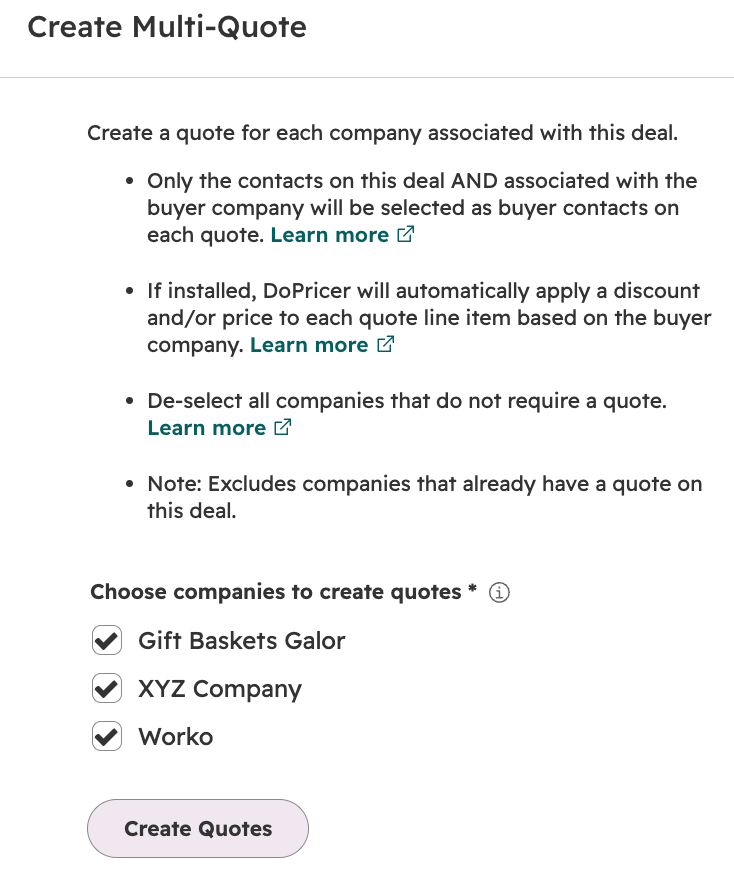
- Multi-Quote: create a separate quote for every reseller on a deal in one click, each addressed only to that reseller's contacts.
- Workflow actions: number quotes and run Multi-Quote straight from your HubSpot workflows. On HubSpot's Legacy quotes, you can also add tax, fees and discounts automatically.
For your buyers:
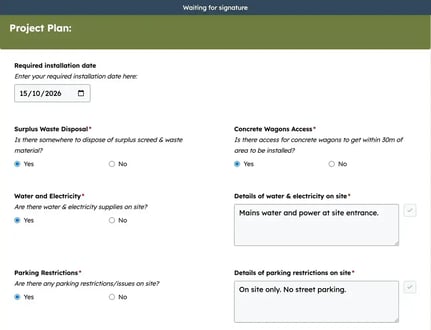
- Interactive quote fields: add date pickers, dropdowns, radio buttons, checkboxes, number and text fields to your Revenue Hub quote template. Buyers answer on the quote itself, and each answer saves to the HubSpot property you choose on the deal, the buyer or billing company, or the quote. You can also show or hide parts of the quote based on what the buyer answers.
Interactive quote fields need HubSpot Revenue Hub. The deal card and quote actions work in any HubSpot portal that uses quotes.
Who is DoQuotes for?
DoQuotes is a great fit if your business:
- Sends quotes from HubSpot
- Wants reps quoting faster, without leaving the deal
- Needs clear, consistent quote numbers
- Sells through resellers or partners who each need their own quote
- Wants buyers to confirm details on the quote, not by email, and collect answers that update their HubSpot records
It's ideal for B2B manufacturers, distributors and service companies with a busy quoting team.
Pricing — no per-seat charges
DoQuotes has no per-user cost. Plans are based on how many new quotes you create each month, from $89/month for up to 200 quotes to $249/month for up to 1,000.
All features are included on every plan.
Every plan includes unlimited users. Extra quotes are $0.50 each, and a yearly plan costs the same as 10 months.
Scroll to the Pricing Plan on our HubSpot Marketplace listing here
Free 14-day trial
Try every DoQuotes feature on your own HubSpot deals for 14 days, with unlimited users. If you have a HubSpot sandbox, you also get one free sandbox licence for testing, with up to 50 quotes a month.
Scroll to the Pricing Plan on our HubSpot Marketplace listing here
Feature cards
.
|
IMAGE |
IMAGE TITLE |
DETAILS |
|---|---|---|
|
|
1. One-Click Quoting |
Create and publish HubSpot quotes straight from the deal, without opening the quote editor. |
|
|
2. A Quote for Every Reseller |
Multi-Quote builds a separate, correctly addressed quote for each reseller on a deal. |
|
|
3. Buyers Answer on the Quote |
Interactive fields on your Revenue Hub quotes save buyer answers to the deal, company and quote properties in HubSpot. |
Get Started with DoQuotes
|
IMAGE |
TITLE |
DESCRIPTION |
|---|---|---|
|
|
Set-Up Guide |
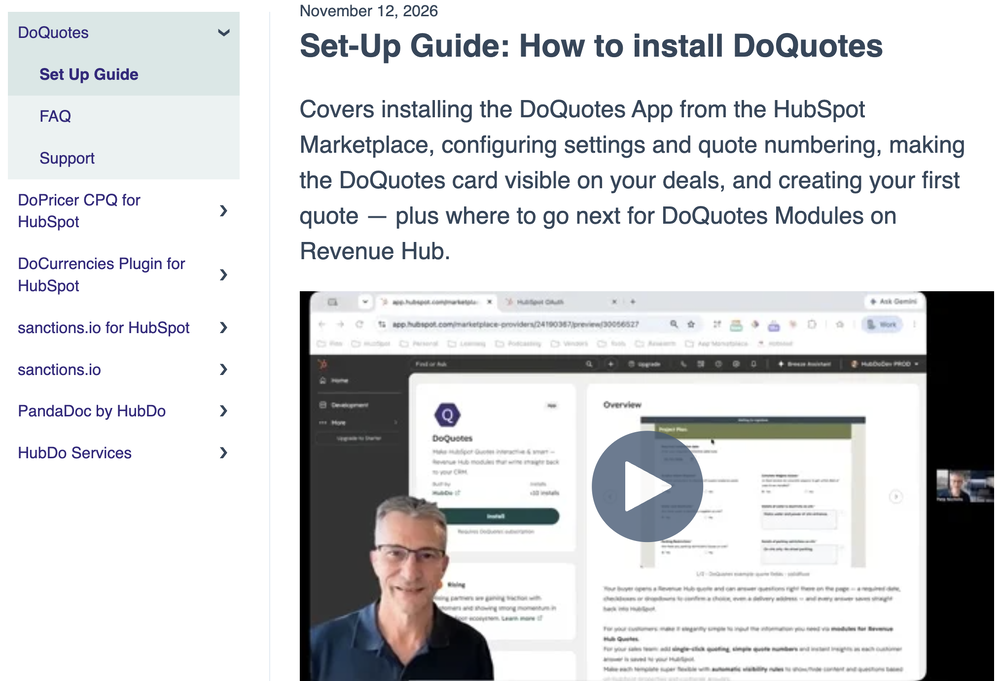
Start your free trial, install DoQuotes and switch on the deal card. See our DoQuotes Setup Guide Support Document here |
|
|
How to use Multi-Quote |
Create a separate quote for every reseller on a deal. READ MORE → help.hubdo.com/doquotes/multiple-quotes-on-a-deal |
|
|
Add interactive fields to your quotes |
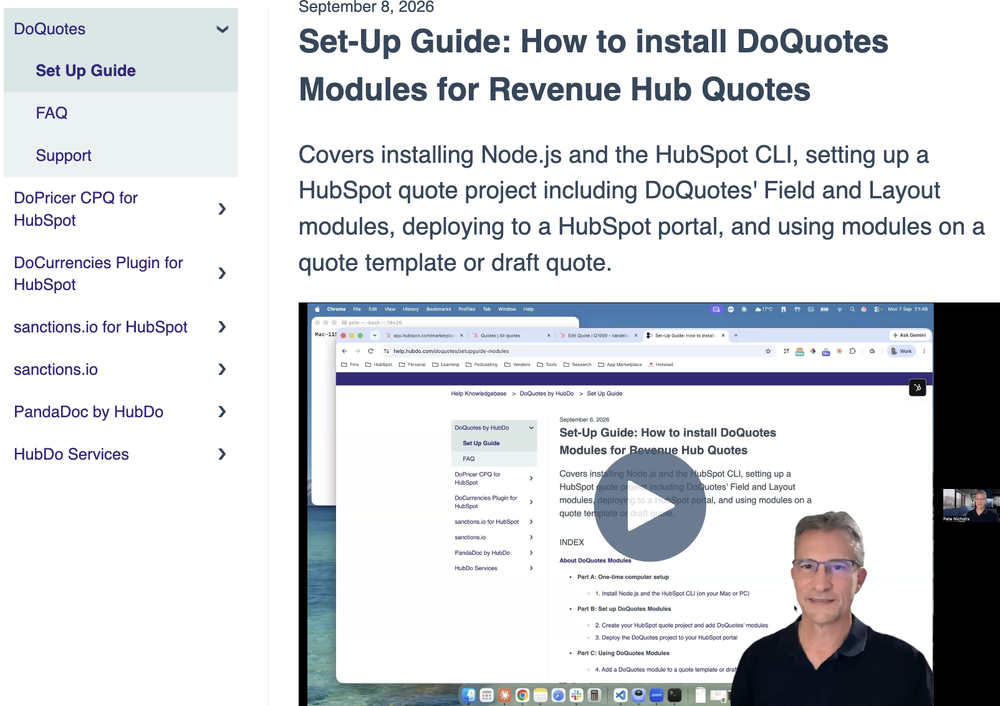
Set up DoQuotes fields on your Revenue Hub quote template. Read our Setup Guide - DoQuotes Modules Support Document here. |